What Is FF&E in Construction? Scope, Interfaces and Responsibilities
The minibar cabinet fits the architectural niche. The outlet appears on the electrical drawing. The selected appliance also appears in the FF&E package. Yet the room can still fail: the outlet sits behind an inaccessible panel, the appliance ventilation rule was never translated into the cabinet, and no one owns the final cross-check.
This is an FF&E construction problem. The documents may each look coordinated within their own discipline while the connection between them remains unresolved.
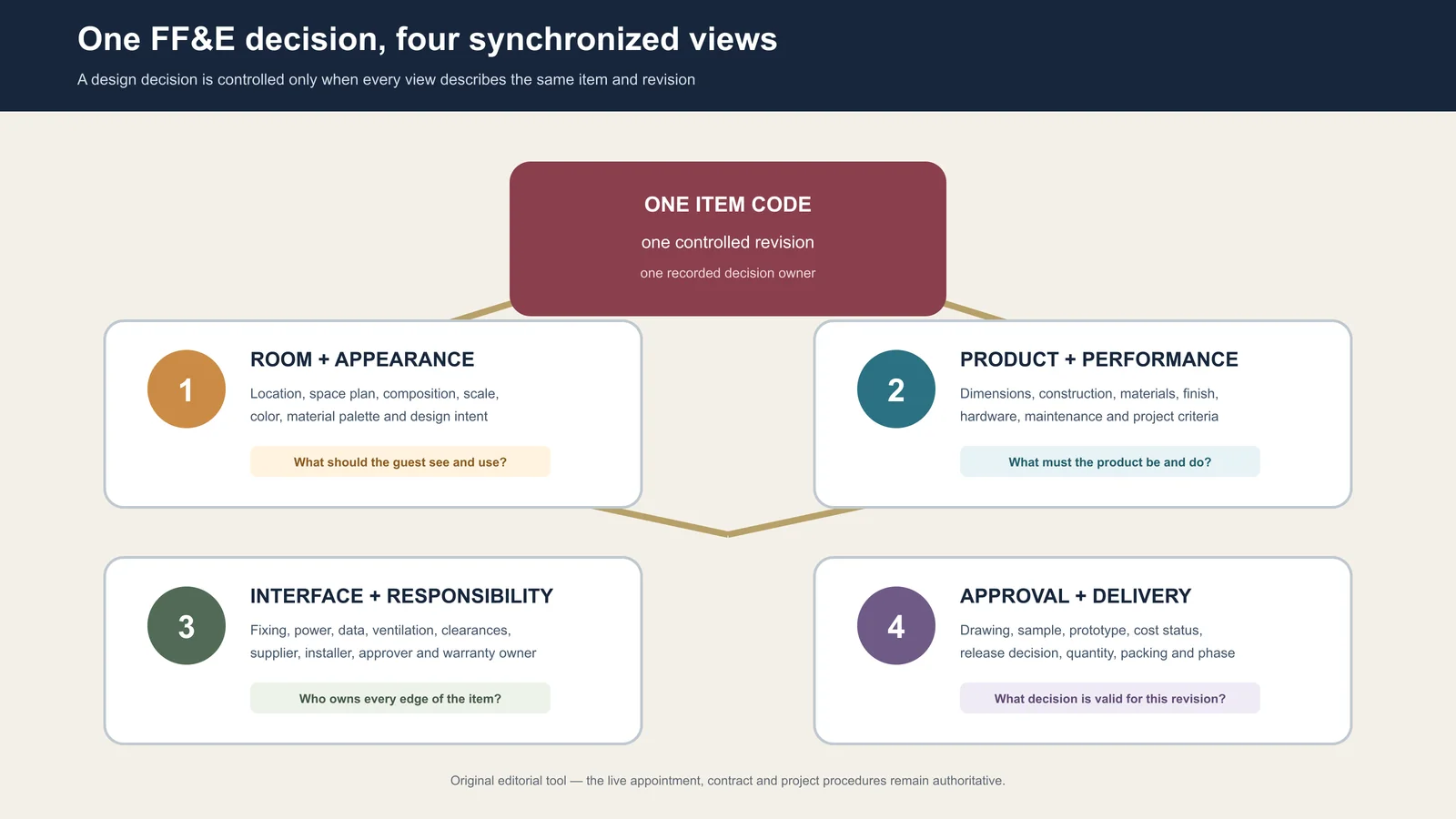
In construction, FF&E is the furnishing workstream that connects furniture, fixtures and equipment to the building conditions they require. The item may be movable, but its use can still depend on room geometry, wall support, power, data, plumbing, ventilation, clearances, access routes, predecessor work and acceptance evidence.
The practical question is therefore not only “Who supplies the item?” It is “What must the building provide, who must prove it, and when must that proof exist?”

Treat FF&E as a construction workstream, not a finishing list
FF&E is often described as items that are not permanently part of the building. That distinction helps with broad scope classification, but it is too weak for construction coordination. A freestanding desk can affect outlet positions and circulation. A loose television may require a fixed bracket, backing and data route. A minibar appliance may determine a cabinet opening, power location, ventilation allowance and maintenance access.
The construction boundary has three layers:
| Layer | What it controls | Example question |
|---|---|---|
| Building work | The constructed room, substrate, services, finishes and access conditions | Is the wall build-up and required support shown in the issued construction information? |
| FF&E work | The selected item, its configuration, product evidence, supply package and furnishing status | Which approved item and revision is the room intended to receive? |
| Interface obligation | The dependency where the item and building must agree | Who converts the item’s requirement into a building response and proves that the response is ready? |
The third layer is where gaps hide. “By others” may separate supply scopes, but it does not define the data exchange or prove that the two sides will meet. The project contract and appointments remain authoritative; the framework below is an editorial coordination model, not a legal interpretation of responsibility.
Find the six interfaces around every item
Start with the item code and intended location, then inspect six interface families. Not every item touches all six, but every relevant family should have a controlled answer.
| Interface family | Question to close | Typical evidence |
|---|---|---|
| Position and clearance | Where does the item sit, open, move, align and remain serviceable? | Coordinated plan, elevation, setting-out dimension, clearance or maintenance zone |
| Structure and fixing | What substrate, backing, anchor zone or support is required? | Qualified fixing design or requirement, wall build-up, backing location and field verification where specified |
| Services and controls | Which power, data, plumbing, ventilation, isolation or control points must connect? | Selected-equipment data, coordinated service drawing, connection detail and responsible test record |
| Access and handling | Can the item reach the room, turn through the route and be handled without unplanned dismantling? | Module dimensions, packaging dimensions, route survey, lifting or handling plan where required |
| Sequence and readiness | Which predecessor work and environmental or protection conditions must exist before the next handoff? | Zone-release record, predecessor sign-off, current programme gate and open-exception list |
| Test and handover | How will identity, condition, function and contracted documents be accepted? | Inspection record, test or commissioning record where applicable, exception closure and handover index |
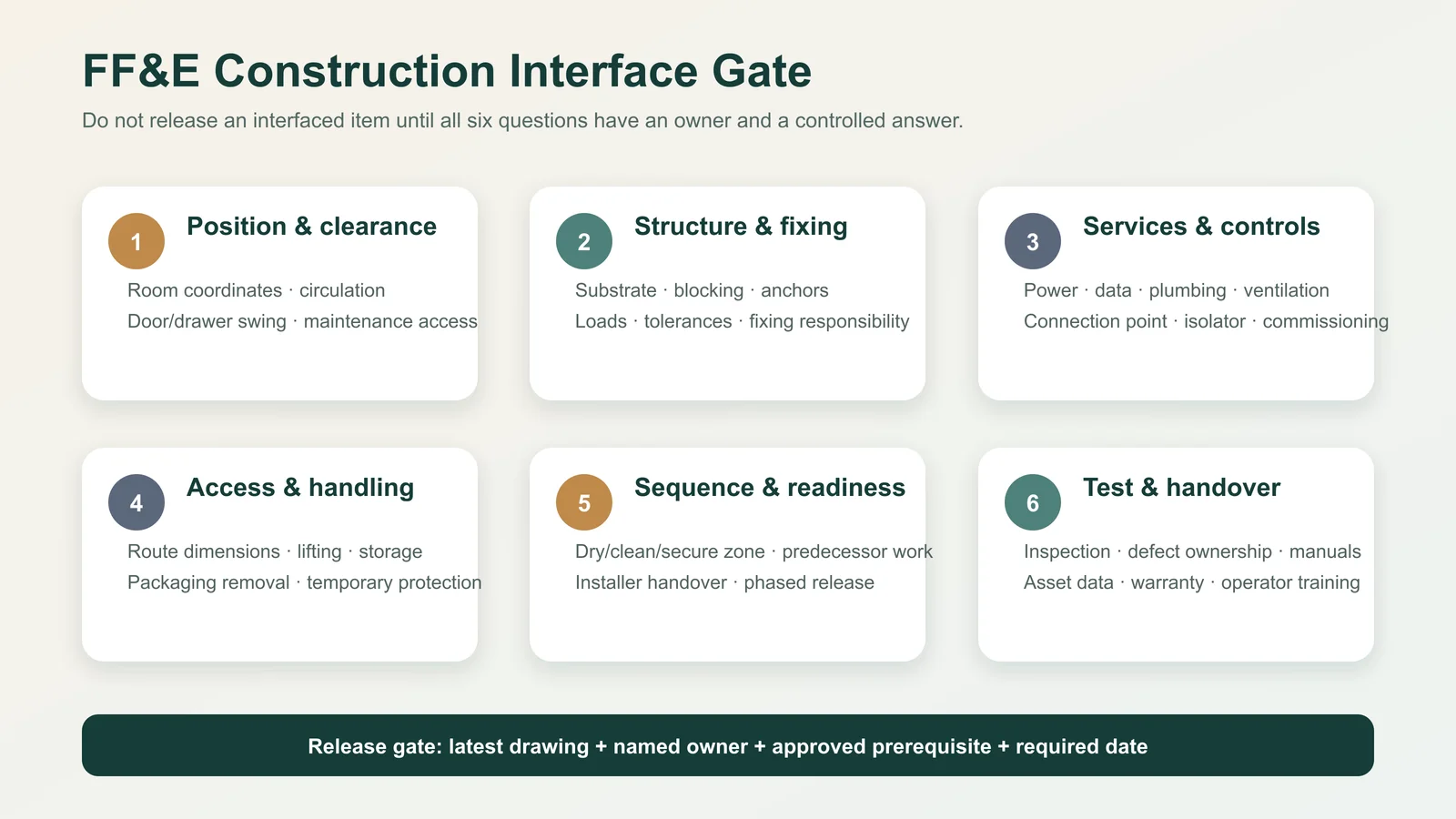
This gate does not prescribe engineering solutions. Loads, anchors, services, accessibility, fire safety and other regulated or safety-critical matters must be determined and verified by the qualified parties appointed to the live project.
Walk one guestroom setting across the drawings
A single hotel guestroom is a useful test because repeated interfaces amplify small errors. Consider a setting with a bed and headboard, two nightstands, a desk, a minibar cabinet and a wall-mounted television.
- Begin with the furniture layout. Fix the item codes, design reference and room-type rule. The plan must show more than attractive placement; it must make circulation, door and drawer swing, curtain movement and maintenance access reviewable.
- Read the architectural response. Check finished wall locations, skirting, reveals, floor transitions, ceiling conditions and the build-up behind mounting zones. Nominal room dimensions are not the same as verified finished conditions.
- Read the support response. A television bracket or long headboard may need coordinated support. The qualified project party defines the required loads, fixing method and substrate response; the FF&E information must arrive early enough for that response to be designed and built.
- Read the service response. Outlets, switches, USB or data points, appliance connections and control locations must match the selected configuration, not a previous furniture revision. Connection and isolation responsibilities must also be explicit.
- Read the finish response. A change in floor build-up, wall panel thickness or skirting may alter final geometry. The furniture drawing should state which construction reference it used and which dimensions still require confirmation.
- Read the delivery response. A product that fits the room may not fit the lift, corridor turn or door in its packaged or assembled form. Module strategy and route evidence belong before shipment, not at the room threshold.
The value of this walk is not the number of drawings reviewed. It is the chain of agreement: selected item → stated requirement → building response → controlled evidence → verified handoff.
Replace “by others” with an interface handshake
A scope note can say that power is by the electrical contractor and the minibar cabinet is by the furniture supplier. That still leaves the interface open. An effective handshake records five things:
- Provided information: What exact item data will one party issue, and at which revision?
- Required response: What must the receiving package show, build or reserve?
- Acceptance evidence: What drawing, sample, field record or decision demonstrates agreement?
- Required-by gate: Before which irreversible release must the evidence be complete?
- Exception path: Who records, decides and communicates a mismatch?
| Illustrative interface | Information provided | Construction response | Closure evidence |
|---|---|---|---|
| Desk to power | Desk position, panel geometry, cable route and equipment basis | Coordinated outlet and access position | Current furniture elevation reconciled with current electrical reference |
| Television to wall | Screen and bracket basis, mounting zone and cable requirement | Suitable support and coordinated power/data route | Approved interface detail plus required field confirmation |
| Minibar to cabinet | Selected appliance envelope, connection and manufacturer-stated clearance information | Cabinet opening and services coordinated to that basis | Matched revisions and an authorized release decision |
The examples show control logic only. They do not authorize a fixing, electrical or ventilation solution.
Apply the no-orphan interface test
An orphan interface is a dependency that appears in conversation or a drawing note but has no traceable owner or closure path. For each material interface, ask whether the record contains:
- the affected FF&E item code and locations;
- the building prerequisite or receiving-package response;
- the named role accountable for the next transition;
- the evidence that will prove coordination or field readiness;
- the gate before which the answer is required.
If one element is missing, the interface is not closed. Mark it as an exception with an owner and next action. Do not hide it behind a green overall status for the room or package.
Advance each interface through a maturity ladder
Teams often confuse “discussed” with “coordinated.” Use a maturity state that describes the evidence available, not the confidence of the person reporting it.
| State | Meaning | Permitted interpretation |
|---|---|---|
| Assumed | A dependency is expected but the selected-item input or building response is not controlled | Use for planning only; do not release affected work |
| Defined | The requirement, affected item and locations are stated | The receiving packages can develop a response |
| Coordinated | Current discipline responses have been cross-checked against the same item basis | The team can seek the project-specific release decision |
| Verified | Required document, sample or field evidence confirms the condition | The stated interface condition is observable at that revision and location |
| Released or handed over | The authorized party accepts the evidence for the named next action | Only that stated action may proceed, subject to recorded conditions |
These states are not universal contract terms. Define them in the project’s own procedure, including who can change a state and what each state allows. A finish approval, for example, should not be treated as a full fabrication release if geometry or services remain open.

Assign responsibility to transitions, not broad labels
A responsibility matrix that says “designer,” “contractor” and “supplier” can still leave the decision between them unowned. Assign responsibility to verbs:
- provide the current selected-item data;
- translate it into a discipline response;
- review the cross-discipline interface;
- authorize a release or change;
- verify the specified field condition;
- receive the handoff and record an exception.
The role performing each action depends on the appointment and project. What matters operationally is that one role owns the next transition, the receiving role knows what evidence to expect, and no party treats silence as acceptance.
Put FF&E decisions before irreversible construction gates
There is no universal sequence or lead time for every hotel project. Work backward from the actual construction programme and identify the last responsible point for each interface.
| Construction gate | FF&E decision that may be needed first | Risk if left as an assumption |
|---|---|---|
| Partition, backing or substrate release | Mounting zones, furniture geometry, support input and qualified building response | Closed walls may not receive the intended item without rework or redesign |
| MEP rough-in release | Selected equipment basis, connection point, access and control location | Services may be present but unusable or inaccessible |
| Repeated-room finish release | Representative setting, finish build-up and furniture-to-finish junctions | A small mismatch can repeat across many rooms |
| Furniture fabrication release | Current construction references, approved dimensions and unresolved-condition list | The product may embody an outdated room condition |
| Zone handoff for furnishing | Verified prerequisites, protected access, exception ownership and receiving acknowledgement | Delivery or installation begins in a room that is not genuinely ready |
A gate is not complete because a date has arrived. It is complete when the authorized decision is supported by the evidence defined for that gate.
Propagate a late change through every affected package
Suppose the selected minibar appliance changes after the cabinet and electrical layouts have been coordinated. Updating only the FF&E schedule leaves the construction response on the old basis.
Use a simple propagation chain:
Source change → affected item and locations → interface requirements → current building responses → status of released work → authorized disposition → revised evidence → receiving-party acknowledgement
For the minibar, review the appliance envelope, cabinet opening, access, stated clearance information, connection point, drawing references, commercial consequence and any work already made or installed. Record “no impact” only after the responsible discipline has checked its response. Preserve the previous controlled basis so that the team can understand what changed and where the old information may still exist.
This change chain supports coordination; it does not replace the project’s formal instruction, variation, design review or engineering verification.

Assemble a room-interface release packet
Before a repeated room or zone is handed to the furnishing team, issue a compact packet that allows the receiver to test the interface rather than search through an entire document system. Include:
- room or zone identity and the current FF&E layout;
- the applicable item and variant list;
- the interface register with maturity state and owner;
- current construction references used for position, support, services and finishes;
- required field-verification records;
- open exceptions, protected work and permitted next actions;
- release authority, date and receiving acknowledgement.
This is not an installation method statement. It is the bridge showing that the room the construction team is handing over matches the controlled basis the furnishing team is prepared to receive.
Close an interface with four proofs
For a final, fast audit, place four proof fields on an interface closure card:
- Requirement proof: the current item requirement is stated and revision-controlled.
- Response proof: the building or receiving package shows how it responds.
- Condition proof: required sample, inspection or field evidence confirms the condition.
- Handoff proof: the authorized sender and receiver acknowledge the decision, limitations and next action.
If the four proofs point to different revisions, locations or variants, the interface is still open. This test is more useful than asking whether “the furniture is coordinated,” because it exposes exactly which connection is missing.
What should you send Gainwell for an FF&E construction review?
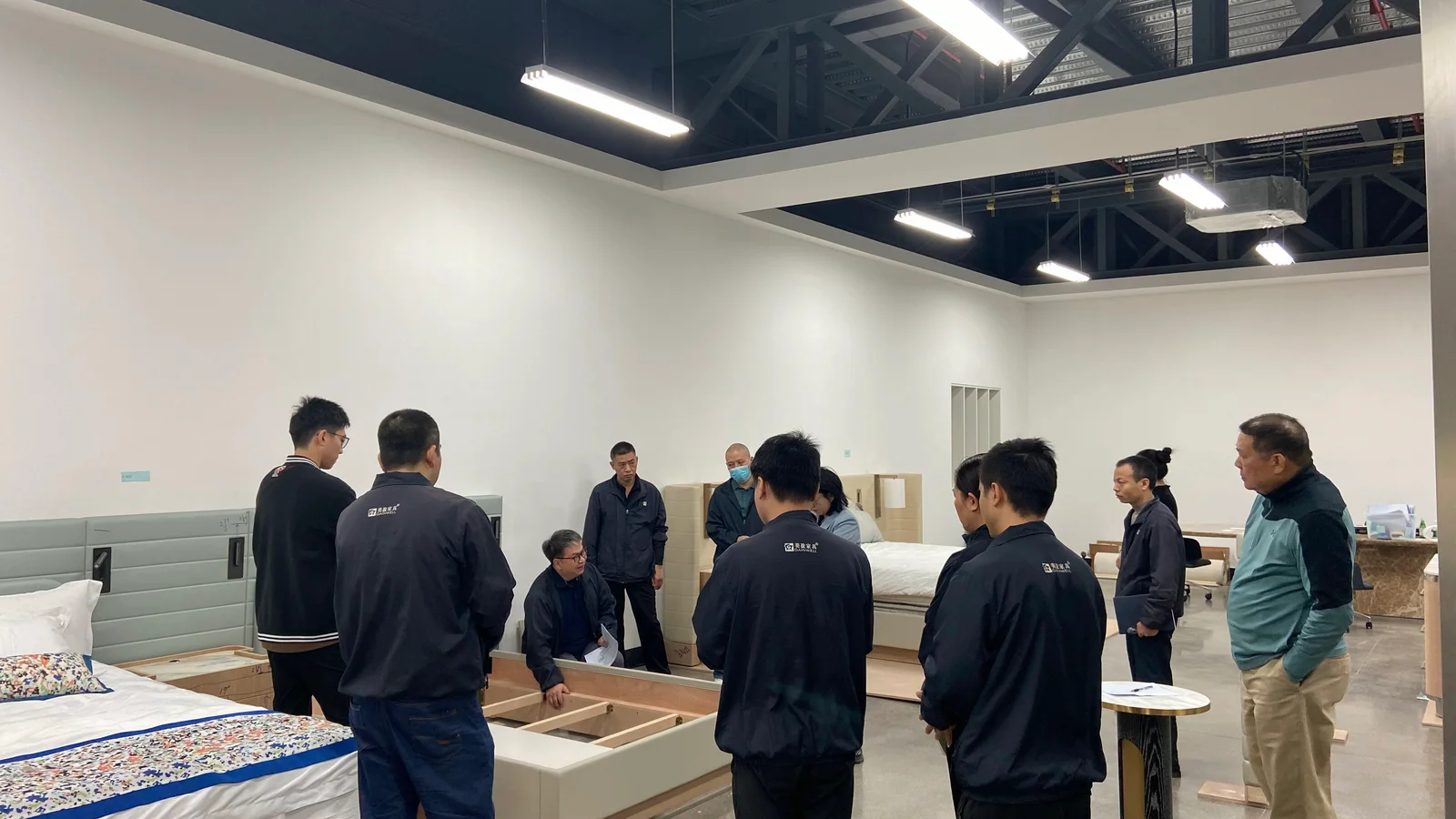
Gainwell’s current product directory includes custom loose furniture, casegoods, seating, tables, outdoor and specialty products, as well as architectural millwork and fixed furniture. Its public capabilities workflow describes shop drawings with dimensions and interfaces, material and finish coordination, prototypes or mock-ups, manufacturing checkpoints, inspection records, project coding, packaging, delivery and installation support.
Those are company-level capabilities, not an automatic promise of scope on every project. For a useful review, provide the current room and furniture drawings, item list and quantities, selected equipment data, known service and fixing interfaces, finish or sample direction, destination, approval route, programme gates and a list of unresolved conditions. The live proposal should then confirm the exact products, documents, tests, services and responsibilities.
Start with one repeated guestroom setting and its open-interface register. Send the project brief to Gainwell so the team can identify which technical-development, manufacturing and delivery inputs are relevant before a formal scope is agreed.